
YOUR AI WORKFORCE

AI colleagues for
everyday work.

From the first customer enquiry to the administration behind it. We configure AI colleagues around your processes, knowledge and existing systems.

Customer contact

Process customer questions from email and WhatsApp, draft suitable replies and route complex questions to the right person.

For example

A customer email becomes a draft reply, with the relevant context ready for review.

Sales & CRM

Gather customer information, update your CRM and prepare proposals, follow-up emails and next steps.

For example

After a sales call, a summary and next steps are ready to add to your CRM.

Administration & documents

Extract data from invoices and documents, check for missing details and prepare processing in your existing systems.

For example

In Moneybird, prepare a draft invoice from agreed customer details, ready for your team to review.

Knowledge & research

Search internal knowledge bases and documents, combine relevant information and answer questions with source references.

For example

A question from a colleague becomes a concise answer with references to the relevant documents.

Planning & projects

Turn requests and notes into tasks, monitor deadlines and keep project information organised.

For example

Meeting notes become a task list with owners and deadlines for your team to confirm.

Marketing & content

Process images and prepare layouts in Adobe Photoshop and InDesign, following your brand guidelines.

For example

Resize multiple images in one go, with an experienced colleague reviewing the results. Your team gains more time for creative work.

Explore familiar tools. Official MCP identifies a provider-documented MCP server; Custom connection means we first assess an API or tailored integration. No connections are active on this page.

CONFIGURED FOR YOUR TEAM

Each colleague.
The right setup.

Bring the model, knowledge and tools together around a clear role. Your team keeps working in its familiar systems.

A model for the task

Choose an AI model for each colleague. Use different models within the same team.

Your knowledge and working methods

Give each colleague skills: reusable instructions, specialist knowledge and your way of working.

Connected to your tools

Connect your existing systems through APIs and define what each colleague can access.

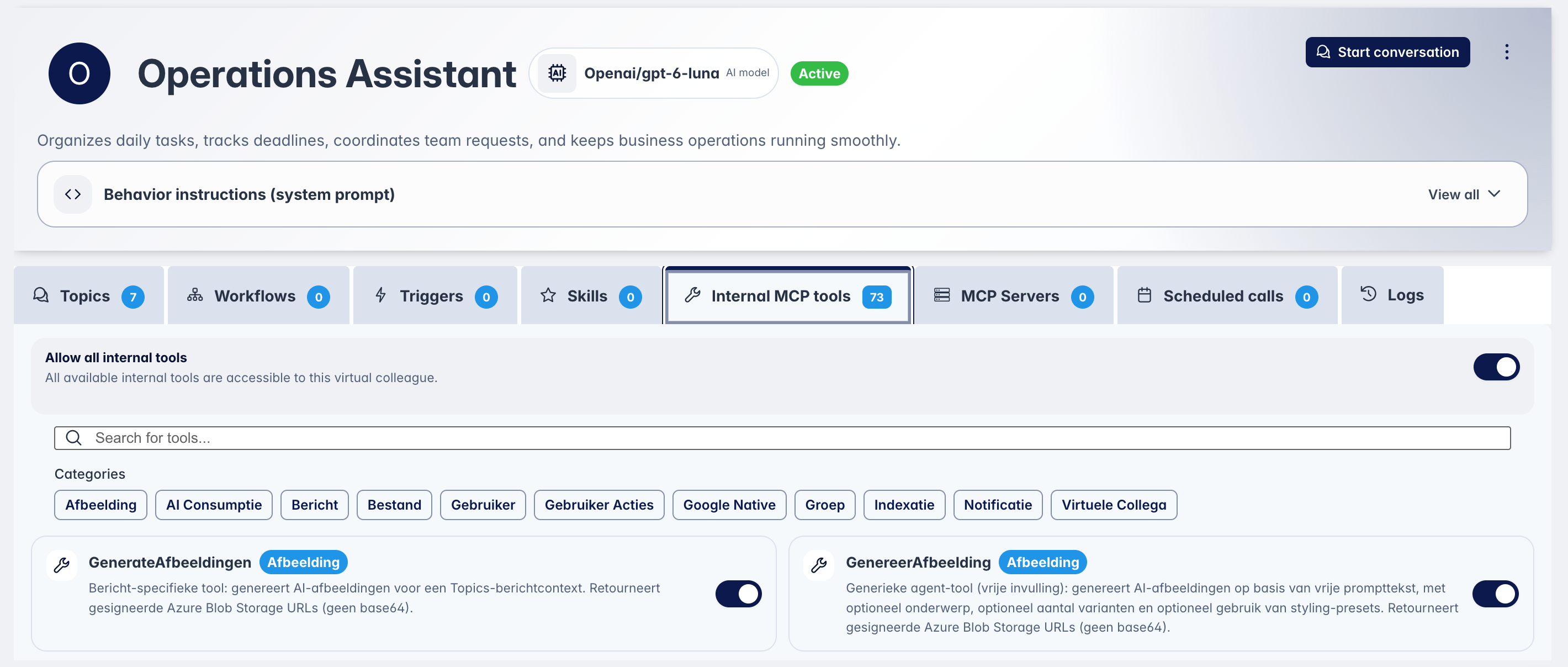
Configured for its role

See how the Operations Assistant is configured: its model, instructions and available tools.

Interactive example

Hover or tap a tab to explore. Swipe through the explanations.

Operations Assistant in Aiventity: OpenAI GPT-6 Luna, instructions and internal MCP tools

Ready to put an AI colleague to work?

See our step-by-step approach